Create your first pyCANdo project.
Follow this quick walkthrough to connect to your device and launch the guided project wizard from the pyCANdo workbench.
- Connect to the device via Webbrowser https://<hostname>/pycando
- Follow the yellow highlights in each screenshot.
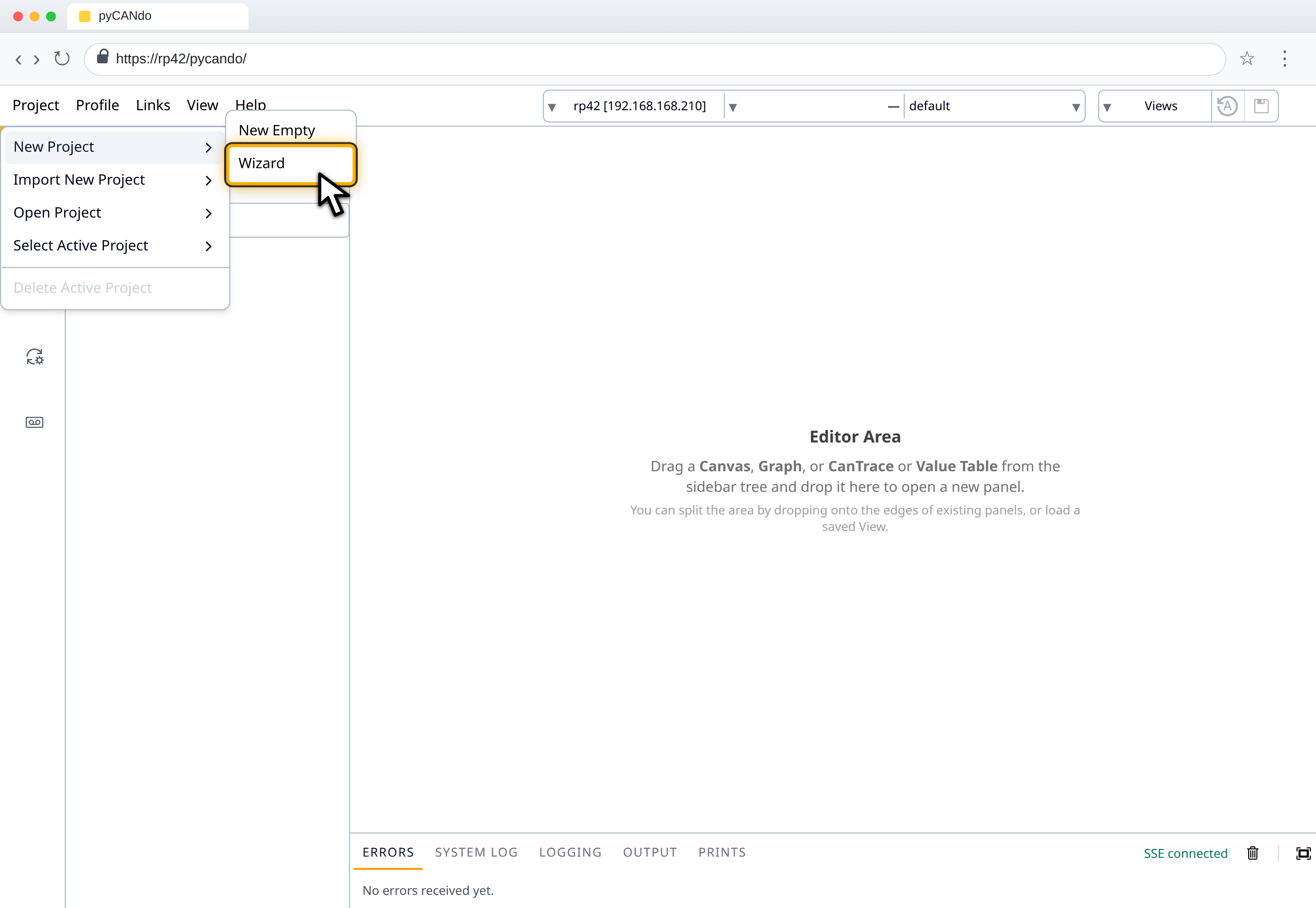
Launch the Wizard
Open the New Project submenu and choose Wizard.
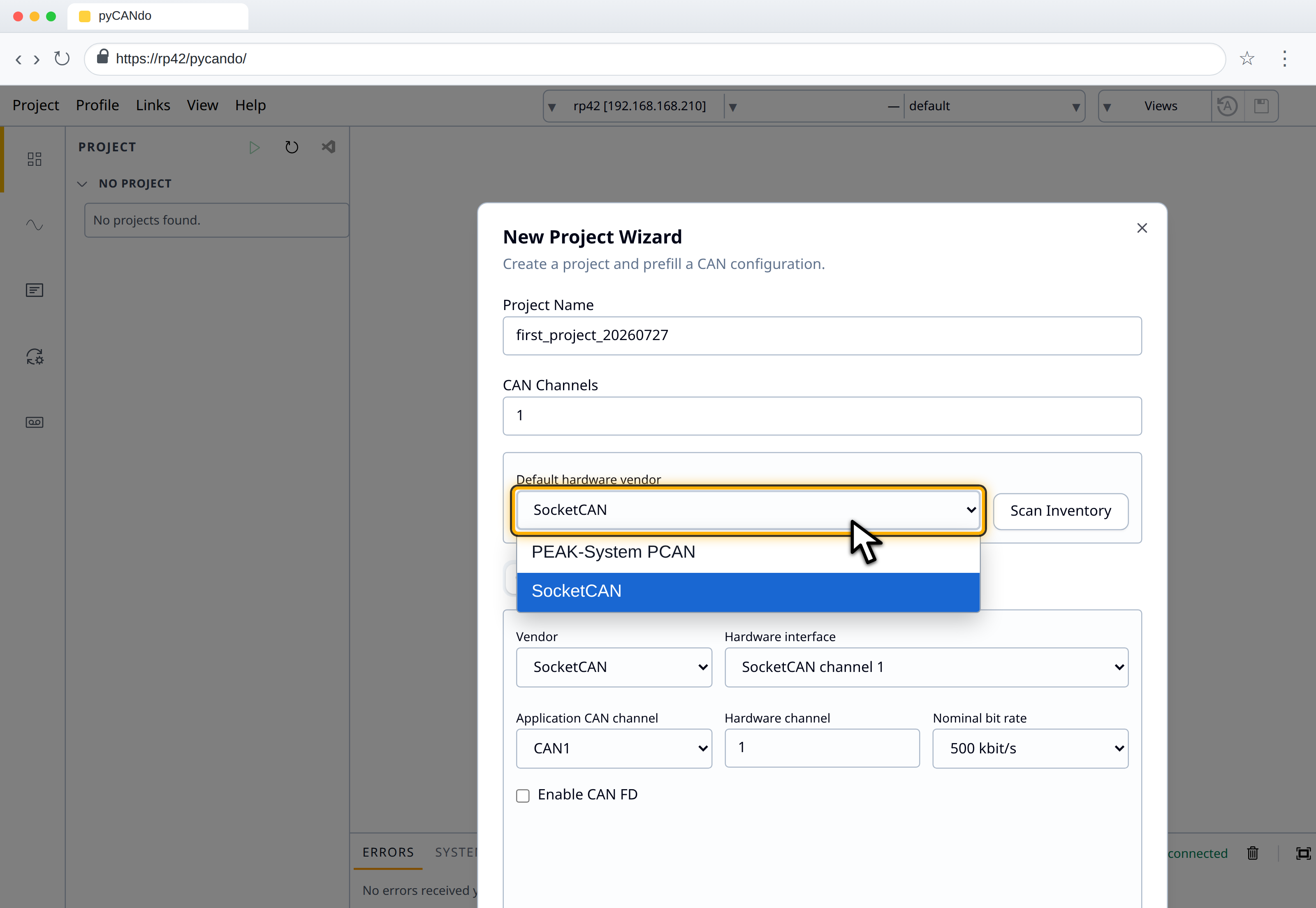
Specify initial Hardware Setup
Enter a project name, select the hardware interfaces you want to use
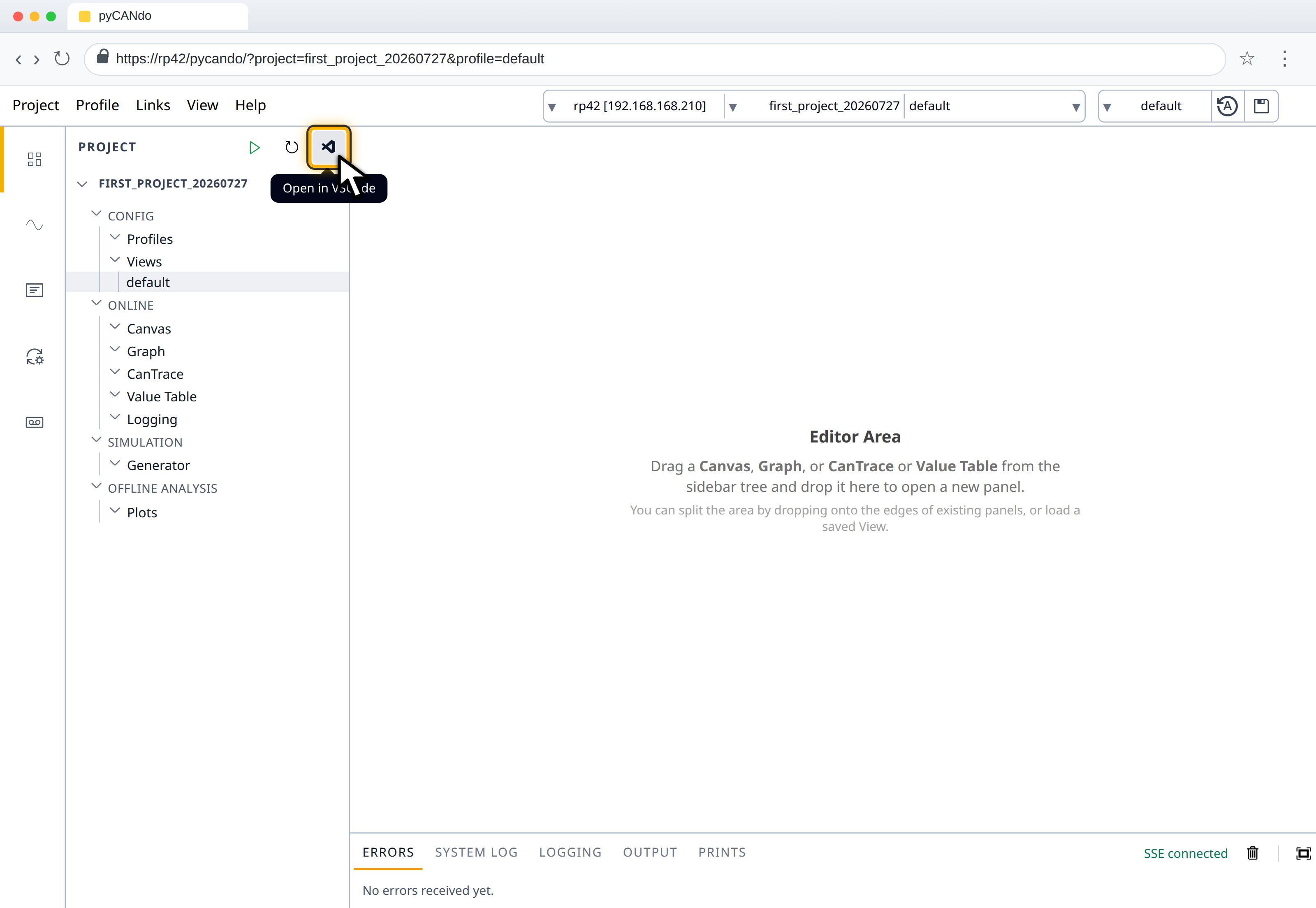
Open the project in VSCode
Create the project, then use the VSCode button in the Project panel to open a new tab that is loading the browser hosted VSCode
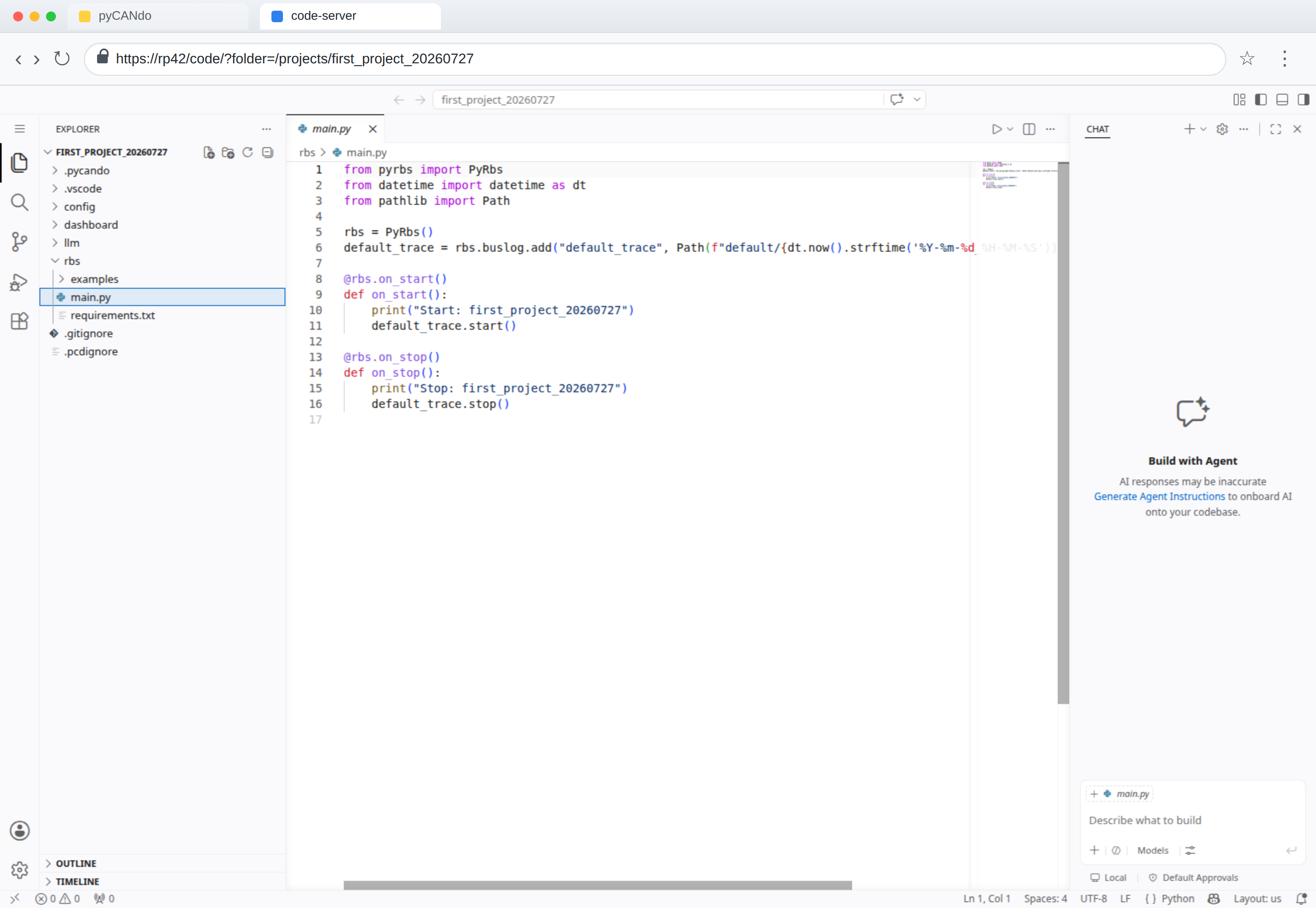
Open the simulation code
In the new code-server tab, expand the `rbs` folder and open `main.py`. This is your entry point for the python based restbus simulation.